



.webp)
How To Make A YouTube Video Viral?
Stop hoping for luck. Discover the advanced YouTube video SEO and content secrets that help experienced professionals engineer
Stop being just a 2D draftsman. Get the foundational 3D modeling skills that make you a design engineer and unlock a real engineering career.
You're already using CAD - you just don't have the right tool. You're the one stuck in AutoCAD, cleaning up 2D layouts and making minor drawing revisions. You're still called a "CAD Operator" or "Junior Draftsman." Meanwhile, CSWA-certified Design Engineers are building complex 3D assemblies, running simulations, and commanding salaries 30-50% higher for applying the parametric 3D modeling processes you're not allowed to touch. Your resume gets filtered out by HR bots scanning for "Solidworks," and every mechanical design job in Manhattan, KS lists "3D modeling" as "required." That stops now. This isn't another course designed to make you memorize the Solidworks help files. Our Solidworks Essentials Training Program is designed by battle-tested mechanical engineers who have designed real, manufacturable parts for Indian automotive, aerospace, and consumer goods industries - environments with impossible tolerances, complex supply chains, and a ruthless focus on Design for Manufacturability (DFM). They've built this program to teach you the Solidworks interface while showing you why you build a model a certain way - how to capture design intent so your model doesn't explode when a dimension changes. Unlike certification mills that teach you only how to pass the exam, we build design engineering capability. You'll learn to build a robust base feature that captures design intent, create parametric parts that can be reused, and build complex assemblies that mate correctly without errors. The CSWA exam is just the proof - the real value is walking into your next interview and confidently building a part from scratch, explaining your design intent, and creating a production-ready 2D drawing from your 3D model in minutes, not hours. We've built this for working professionals, freshers, and students who can't afford to waste time on theory. Weekday evening and weekend batches, fully interactive with live Q&A. Every session recorded. Beyond the training, you get a library of real-world part files, manufacturability checklists, 24/7 expert support, and end-to-end assistance with the CSWA (Certified SOLIDWORKS Associate) exam - where most self-taught candidates fail before they even finish the assembly section.
Learn with confidence knowing your training program aligns with official Solidworks standards and requirements.
Unlock your potential with expert teachers who are Certified Solidworks Professionals (CSWP) & Experts (CSWE) guiding you to success.
Aim for the Solidworks Essentials certification (CSWA) and choose a training schedule that fits your time as we offer weekday-evening, weekend only, or a full 5-day bootcamp.
Master the concepts fast with 40-hours hands-on and individualized performance feedback through 100+ real-world modeling exercises.
Get on top of your weaknesses with 500+ tailor-made CSWA practice questions and mock tests.
Be worry-free as industry experts (real engineers) are available 24x7 to solve your doubts and assist you at every turn.

Get a custom quote for your organization's training needs.
Stop making "dumb" shapes. Learn to build intelligent, robust 3D parts that can be updated and modified instantly by changing a single dimension.
Master the why behind the what. Learn to capture the logical "rules" of your design in the model, preventing catastrophic failures during revisions.
Stop "eyeballing" parts. Learn to use standard, mechanical, and advanced mates to build fully-defined assemblies that move and behave like real-world products.
Go from 3D model to production-ready 2D drawing in minutes. Master automated view creation, section views, and detailing to ANSI/ISO standards.
Learn to design parts that can actually be made. Understand basic concepts of molding, machining, and sheet metal to avoid costly, unmanufacturable designs.
Become 10x more efficient. Learn to create hundreds of variations of a part (e.g., different-sized bolts) from a single master file using Excel.
If you design, validate, or manufacture physical products, this program is engineered to get you CSWA-certified.
Get the design engineer interviews your degree already deserves.
that are reserved for 3D-certified design engineers.
and gain a seat at the R&D table.
The Certified SOLIDWORKS Associate (CSWA) certification is globally respected precisely because it is a practical test of your skills, not a multiple-choice memory quiz. Dassault Systemes has established clear benchmarks to ensure every certified professional has a proven foundation in 3D modeling.
No Formal Prerequisites: Unlike PMP, there are no degree or experience-hour gates. You don't need 4,500 hours of experience to prove you're ready.
Mandatory Software Access: You must have access to a Solidworks license (student, commercial, or trial) to take the exam. Our classroom training provides this.
Completion of Essentials Training: While not officially mandated by Dassault Systemes, attempting the CSWA exam without completing a formal Solidworks Essentials course is a recipe for failure. This course is your non-negotiable prerequisite for success.
For a comprehensive breakdown of the exam format, timing, and specific topics: please refer to our detailed FAQ section.
Move from 2D to 3D. Master the Extruded Boss/Base and Revolved Boss/Base commands, understanding end conditions (Blind, Through All, Up to Next) that build robust models.
Learn the features that create manufacturable parts. Understand the difference between feature order and how to use the Shell command to create hollow parts, and Ribs for strength.
You can't always sketch on the 3 default planes. Learn to create new, custom planes, axes, and points to build complex geometry exactly where you need it.
Stop doing repetitive work. Master Linear Patterns, Circular Patterns, and Mirror commands to replicate features or entire bodies, saving you hours of work.
This is a massive efficiency gain. Learn to use an Excel-based design table to create hundreds of variations of a single part (e.g., 100 different bolt sizes) from one file. This is a key Solidworks Essentials skill.
Move beyond simple blocks and cylinders. Learn to create complex, organic shapes using Sweeps (a profile along a path) and Lofts (blending multiple profiles).
Learn to build assemblies from existing parts. You will master the 3 main mates (Concentric, Coincident, Parallel) and mechanical mates (e.g., Gear) to create realistic mechanisms.
Design parts inside the assembly. Learn to create new parts in-context, ensuring they fit perfectly with existing components. This is a core part of the Solidworks Essentials for Parts and Assemblies workflow.
Create high-quality assembly instructions. Learn to create exploded views and automatically generate an accurate, table-based Bill of Materials (BOM) for manufacturing.
This is where you get paid. Learn to drop your 3D model onto a 2D sheet and automatically generate all standard views (Front, Top, Right, Isometric).
Master the art of creating clear, unambiguous production drawings. Learn to add dimensions, hole callouts, surface finish symbols, and create section/detail views.
Develop the test-taking strategy for a 3-hour practical exam. We'll cover time management, how to use the "Mass Properties" tool for answers, and run a full, timed mock test for the Solidworks Essentials certification (CSWA).
Great class, very informative.

Great PMP<sup>®</sup> Bootcamp. I had a great time taking this course. I took the course to prepare to sit for the CAPM<sup>®</sup> but may be able to sit for the PMP<sup>®</sup>. I learnt a lot was challenging. Great course. We need one more day. Content was very detailed.

it was a great class. Lots of energy. And I enjoyed.

Fantastic course to prepare for PMP<sup>®</sup> exam.

As a participant it was smooth sailing for me.

Trainer was excellent. Shared good resources and good experiences.

Good content and training.
I wanted to let you know that I took and passed the PMP exam. Thanks to iCert Global and especially my Cincinnati course instructor, who was an excellent teacher and helped me immensely.

Trainer was good. Trainer was very engaged and interacting. Very much satisfied with the training.

I was pleasantly surprised at the quality of this training. Yomi was awesome as a trainer and working to make sure that we understood the concepts. Controlling Cost and Controlling Risk are the most complicated, but Yomi spent time after class working through questions to help others understand. This class also helped to change my perception of the PMP being this MONSTER to something that I can I can successfully do.

Great class with a lot of information and tips to prepare for the exam

It was a great course, covered all the things that i ended up hitting road bumps on. I was the only one in the class, but the trainer was just as involved as if it had been a full class.

I was nervous about taking it online versus classroom; but I am actually glad I took it online. Instructor was very great and gave a good learning experience with his relevant project management experience.
The training was very intense but covered with course material. It was more than I expected.

I thought the class was very informative. The instructor did an excellent job breaking down each chapter to where it was easy to understand. I was also very impressed with his commitment to help us pass ever after the class is over.

Excellent training. Instructor was very knowledgeable and explained information in an understandable way
Quality Materials presented, Instructor very knowledgeable. Exceeded my expectations.
The training is a great introduction into the PMI mindset. Very informative and helpful

Stay updated with the latest insights and trends in your field
Stop hoping for luck. Discover the advanced YouTube video SEO and content secrets that help experienced professionals engineer
Master capacity planning, key methodologies, and capacity utilization with this guide built for seasoned professionals focused on smarter

Stay ahead with the top 20 emerging Cybersecurity trends for 2026, from AI-driven attacks to supply chain risks—essential
Master project risk assessment with a clear 5-step process and learn how qualitative vs quantitative methods ensure smarter
10+ year pro? Learn the strategic steps to become a Game Developer, mastering C++, Game Engines, AI, and
Master ARP Spoofing with Python & Scapy: Learn ARP Poisoning Mechanics, Ethical Hacking Defenses, and Enterprise-Grade Mitigation Strategies
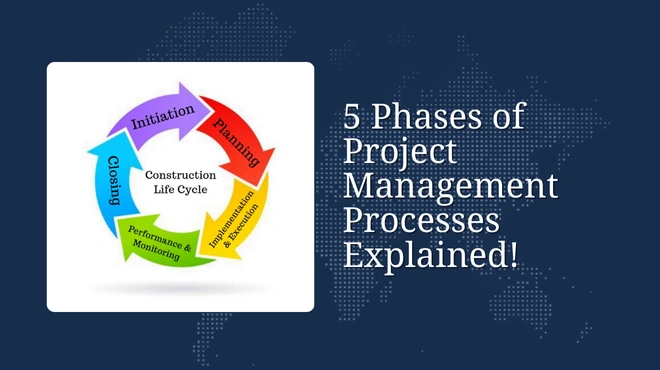
Master the 5 essential Project Management Phases (Initiating, Planning, Executing, M&C, Closing). Advanced processes for 10+ year professionals.

Master artificial intelligence algorithms, from classification to predictive modeling. Expert insights for 10+ year professionals on Machine Learning
Master Data Import in R Commander: Step-by-Step GUI, Manual Entry & Custom R Functions for Efficient, Professional Data
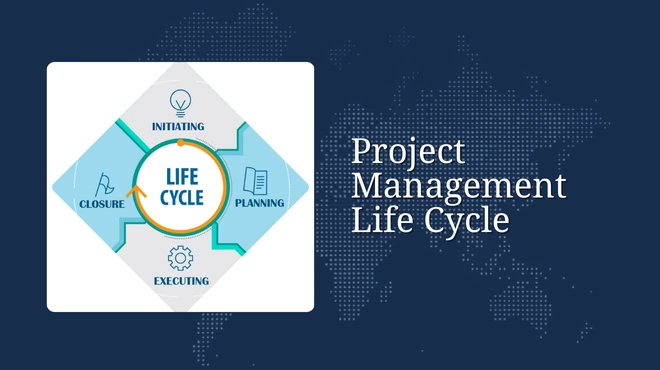
Master the Project Management Life Cycle from initiation to closure. Learn best practices to plan projects and achieve

Our experts are ready to help you with any questions about courses, admissions, or career paths. Get personalized guidance from industry professionals.


"PMI®", "PMBOK®", "PMP®", "CAPM®" and "PMI-ACP®" are registered marks of the Project Management Institute, Inc. | "CSM", "CST" are Registered Trade Marks of The Scrum Alliance, USA. | COBIT® is a trademark of ISACA® registered in the United States and other countries. | CBAP® and IIBA® are registered trademarks of International Institute of Business Analysis™.